
Updated October 31, 2026
Grandma’s Phone and the Two Map Objectives
Use the objective text, ringing cue and completion state to guide your search.
Quick answer
For Map 1, mow the lawn and listen for Grandma’s phone ringing. Follow the current objective and keep clearing grass. Map 2 now asks for Grandpa’s keys; its route and unlock requirement still need direct verification.
Work through the steps
Use the current game interface when it differs from recorded gameplay.
Read the objective and listen
Follow the phone objective and listen for ringing.
- Success check
- The objective supplies a search cue while you mow.
- If it remains unclear
- Keep clearing a connected area; a fixed spawn coordinate is unverified.
Read the supporting evidence
§Read the objective and listen#
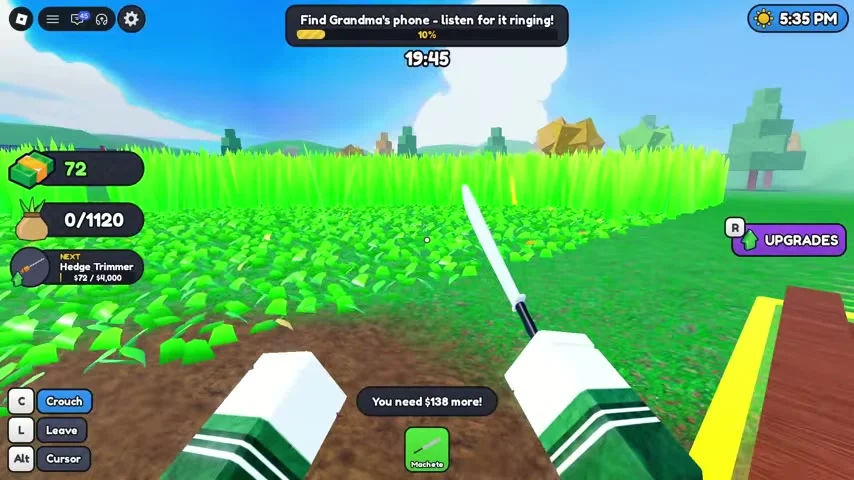
The reviewed early gameplay displays “Mow the lawn and listen for Grandma’s phone.” Later footage changes this to a direct search instruction with a ringing cue. Keep the game audio audible while you clear the lawn.
Clear a connected area you can search again instead of relying on a claimed universal coordinate. The footage reviewed for this guide does not establish a fixed phone spawn location or a trigger that guarantees the phone appears at a particular timer value.
Recognize the found-phone state
Check the objective after finding the phone.
- Success check
- It states that the phone is back and permits more mowing or heading home.
- If it remains unclear
- Keep using the current objective when that completion state has not appeared.
Read the supporting evidence
§Recognize the found-phone state#
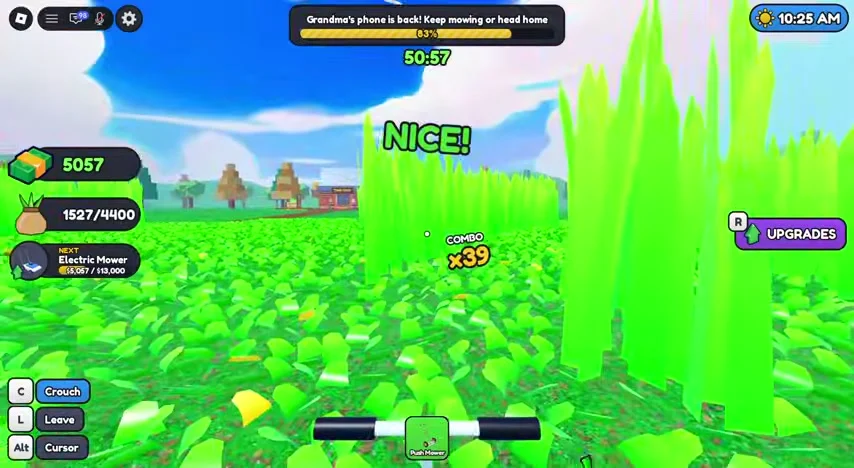
The later recording displays “Grandma’s phone is back! Keep mowing or head home.” This is the useful confirmation that the phone objective has advanced. It also shows the lawn can still be mowed after that state.
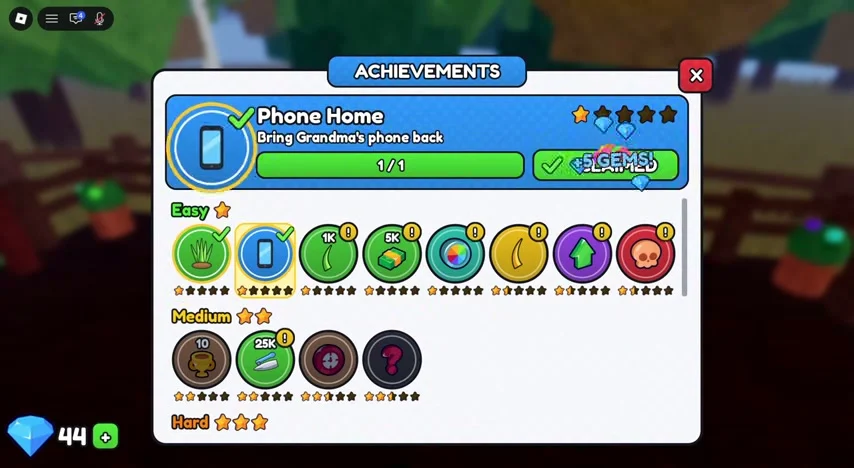
When you are finished, use the game’s exit flow and check the results or lobby. The recording returns through a Heading home screen and then shows the Phone Home achievement, described as bringing Grandma’s phone back.
Check the achievement reward
Inspect Phone Home after the completed trip.
- Success check
- The achievement shows its progress and current reward state.
- If it remains unclear
- Compare the claim state and gem counter before trying again.
Read the supporting evidence
§Check the achievement reward#
The reviewed achievements screen shows Phone Home completed at 1/1 and a +5 GEMS reward effect. Open the achievement interface after the completed trip and check whether its current reward is available.
A recorded button is not proof that a reward has already been claimed on your account. Read the current reward state and your gem counter. Exact current payout and repeatability need confirmation in the live interface.
Map 2: Grandpa’s keys
Read Map 2 selection and requirements in the current game.
- Success check
- The destination names Grandpa’s keys as its objective.
- If it remains unclear
- Treat the route and access requirement as unverified until confirmed.
Read the supporting evidence
§Map 2: Grandpa’s keys#
The official October 31 description names Grandpa’s lost keys as the Map 2 objective. That establishes the new objective and map identity. It does not specify a key coordinate, a map unlock price or which equipment carries over.
Check the current map selection and entry requirements in the game. This guide will add a route when a matching Map 2 recording is verified; the Map 1 phone screenshots below should not be used as a key-location map.
Scope and sources
Official details and recorded gameplay checked October 31, 2026.
- Screenshots show community gameplay. Prices, menus and objectives may change after updates. Latest official description checked October 31, 2026.